

YOUR PHOTO STANDARD · IMPLEMENTATION · DAILY USE
Your standard.
Working across your locations.
Start with your vehicles, your team and the channels where you publish. Agree the acceptance criteria before extending the rollout to more locations.
Your standard.
Put into practice.
Technology
Photo Assistant, automated photo processing, SPIN360 and social videos from one smartphone shoot.
Your standard
The required views, vehicle framing, backgrounds and programme branding, configured for your organisation.
Implementation
A pilot on your vehicles, team training and a publication workflow checked before the wider rollout.
Daily use
Every photo session is scored from 1 to 5. Use the scores and finished listings to review quality with your team.
FROM YOUR REQUIREMENTS TO DAILY WORK
Agree the standard.
Then put it to work.
- 01
Define the scope
Choose the output: a gallery, SPIN360, video or vehicle certificates. Identify users and publication channels.
- 02
Set your visual standard
Agree shot lists, vehicle framing, backgrounds and programme or dealer branding.
- 03
Test on your stock
Run sample sessions on different vehicles. Review the finished photos, player and video against agreed criteria.
- 04
Prepare the team and publication
Train the people taking photos. Verify how the content will reach your website and listing channels.
- 05
Roll out and review
Expand the agreed setup to further users or locations. Review session scores and consistency of published content.
The schedule is agreed after reviewing your number of locations, templates and integration requirements. The pilot establishes what must be ready before the wider rollout.
AGREE WHAT SUCCESS MEANS
Check the result on real vehicles.
During the pilot, compare the output with the agreed requirements. Session scoring is built into the solution; the other checks use the finished content and your publication process.
Session score · 1–5
A score for every photo session, supporting a conversation about capture quality.
Complete, consistent gallery
Check the required views, vehicle framing, background and programme branding against the agreed template.
Ready for publication
Check how the photos, player and video appear in the agreed website and listing channels.
Clear roles before launch.
EXACTO · solution and configuration
We configure the agreed views, templates and output formats, train users and verify the publication setup with you.
Programme owner · requirements and acceptance
Your programme team defines the visual requirements, selects pilot locations and approves the output against the agreed criteria.
Dealership · capture and publication
The dealership prepares the car, takes the required photos with Photo Assistant and checks the finished listing in its publication workflow.
REAL VEHICLES. PUBLIC OFFERS.
Every implementation has its own standard.
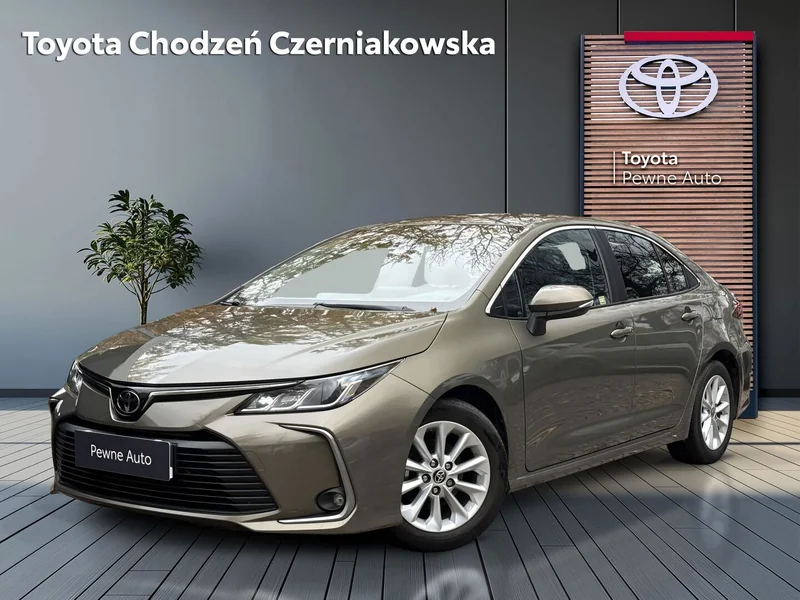
Toyota Pewne Auto
Photos · programme and dealer branding
One front-left view across dealership listings and the Pewne Auto portal.
Explore the implementation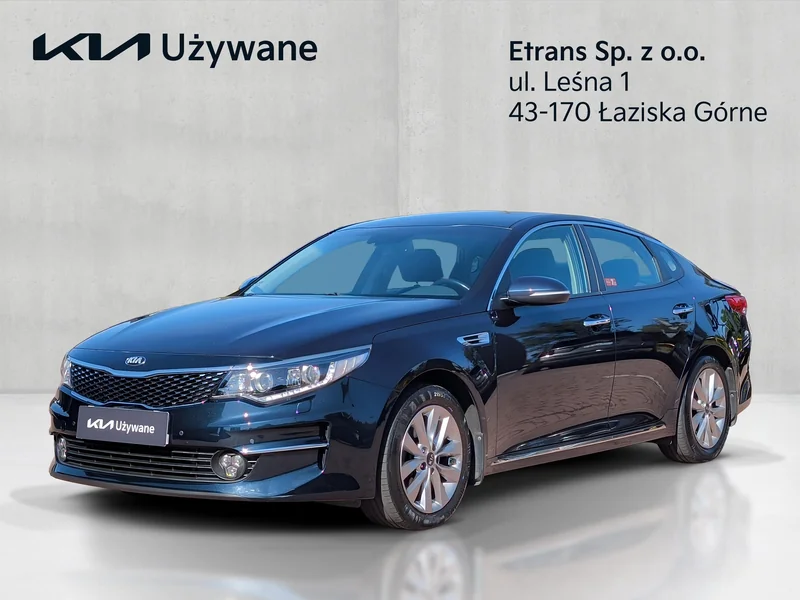
Kia Używane
Photos · digital vehicle certificate
A consistent presentation, supported by documented information about the vehicle.
Explore the implementation
Hyundai Promise
Photos · branding · Player360
Compare vehicles from Eltrans, MM Cars and Nawrot in the programme’s visual standard.
Explore the implementationWHY EXACTO
Experience that supports your rollout.
Standards across locations
Over 1,000 Virtual 360 implementations. Each adapted to the customer’s programme, brand and workflow.
A process your team can follow
We agree the views and templates, train the team and check the output and publication setup during the pilot.
A basis for improvement
Photo Assistant guides each shot. Session scores and listing examples give the team concrete material for quality reviews.